 Free Android App — by QuantixLab
Make your smartphone simple again.
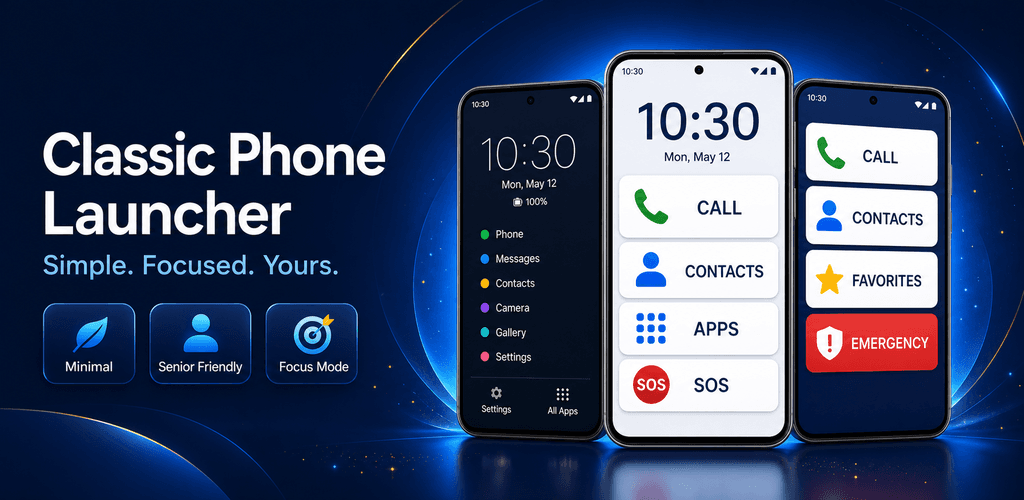
Classic Launcher transforms your Android into a clean, distraction-free experience inspired by classic feature phones. Built for adults, caregivers, seniors, digital detox, and anyone who wants a calmer phone.
One launcher, four ways to use your phone
Choose the mode that fits your life — or switch at any time. Each mode is tailored to a different need without changing any other app on your phone.
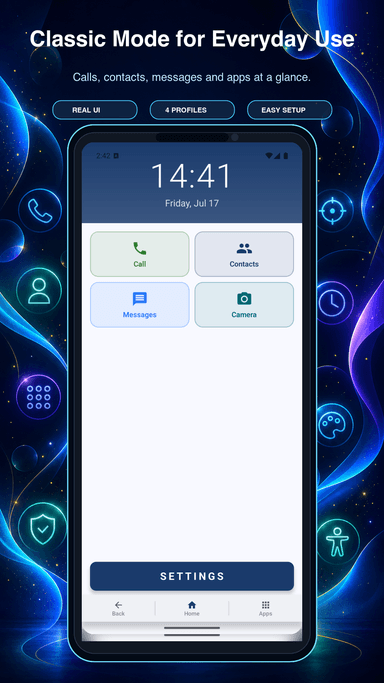
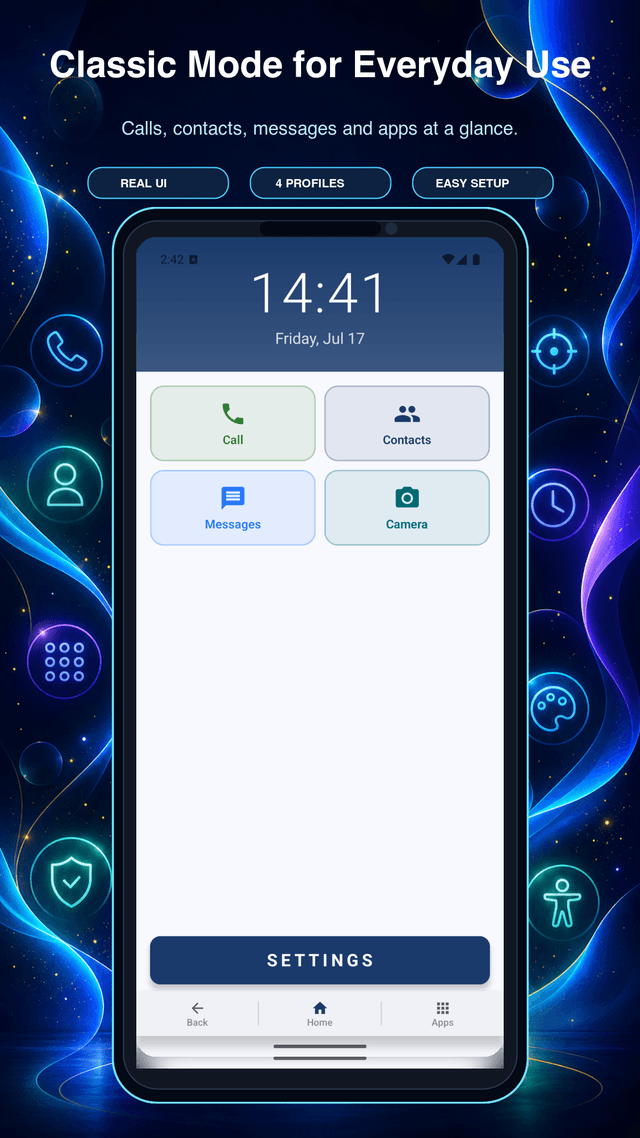
Classic Mode
A clean, simplified home screen for everyday users who want less clutter. Large buttons, clear labels, fast access to calls and apps.
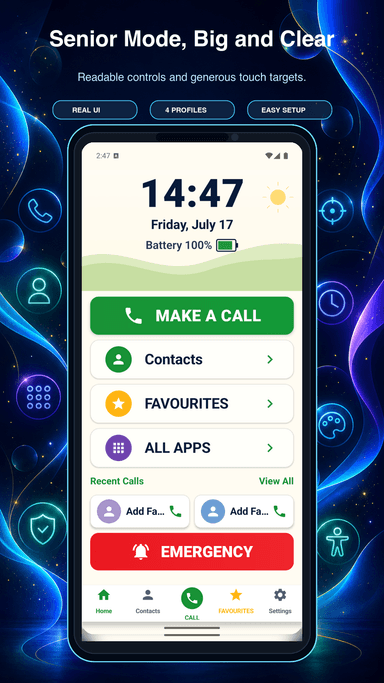
Senior Mode
Extra-large controls, high-contrast themes, and call confirmation prompts to prevent accidental dials. Designed with older adults in mind.
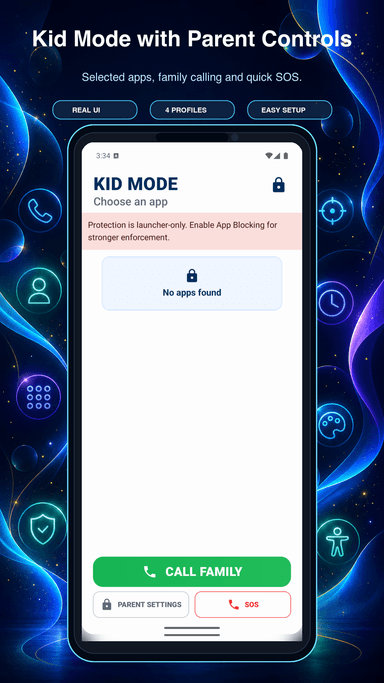
Kid Mode
An adult caregiver sets the allowed-app list and protects settings with a PIN. Kid Mode has no ads or telemetry.
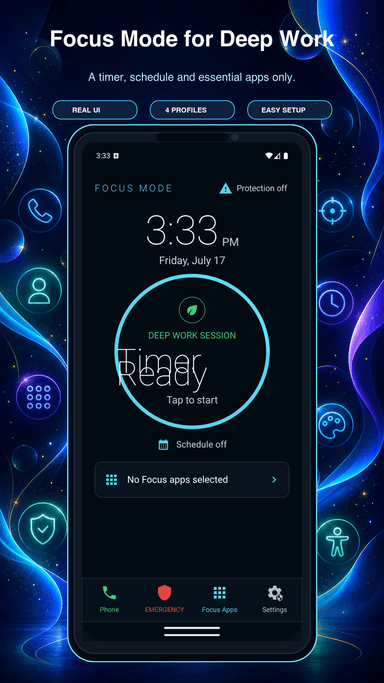
Focus Mode
Digital detox on demand. Schedule minimal layouts, block distracting apps, set a countdown timer, and track screen-free sessions.
See it in action.
Real screenshots from the app — no mockups, no marketing illustrations.
Classic Mode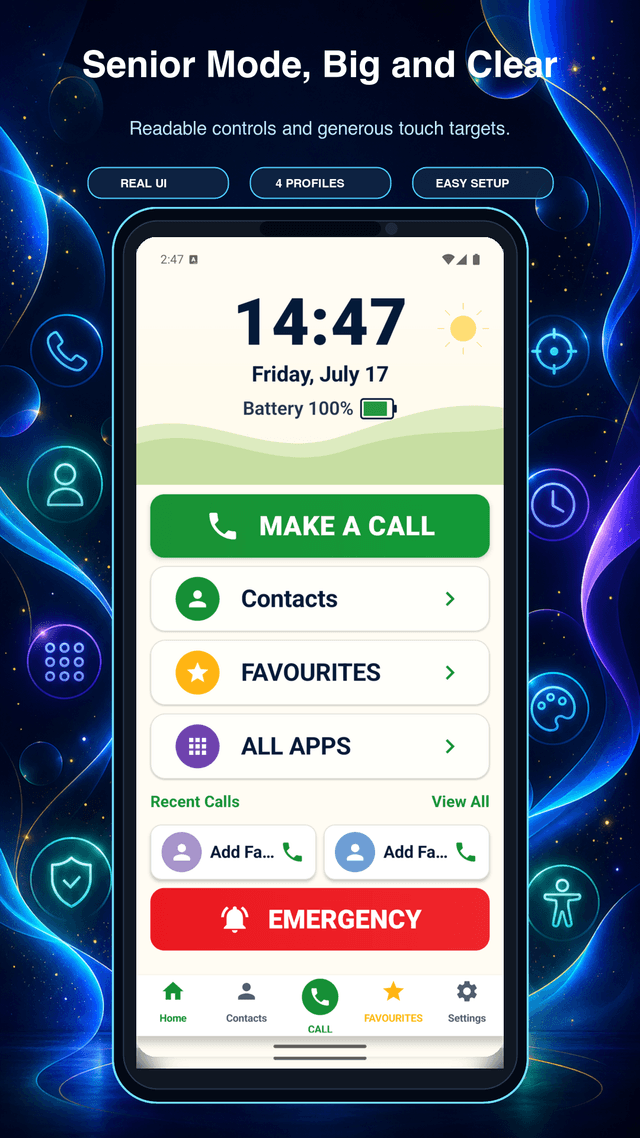 Senior Mode
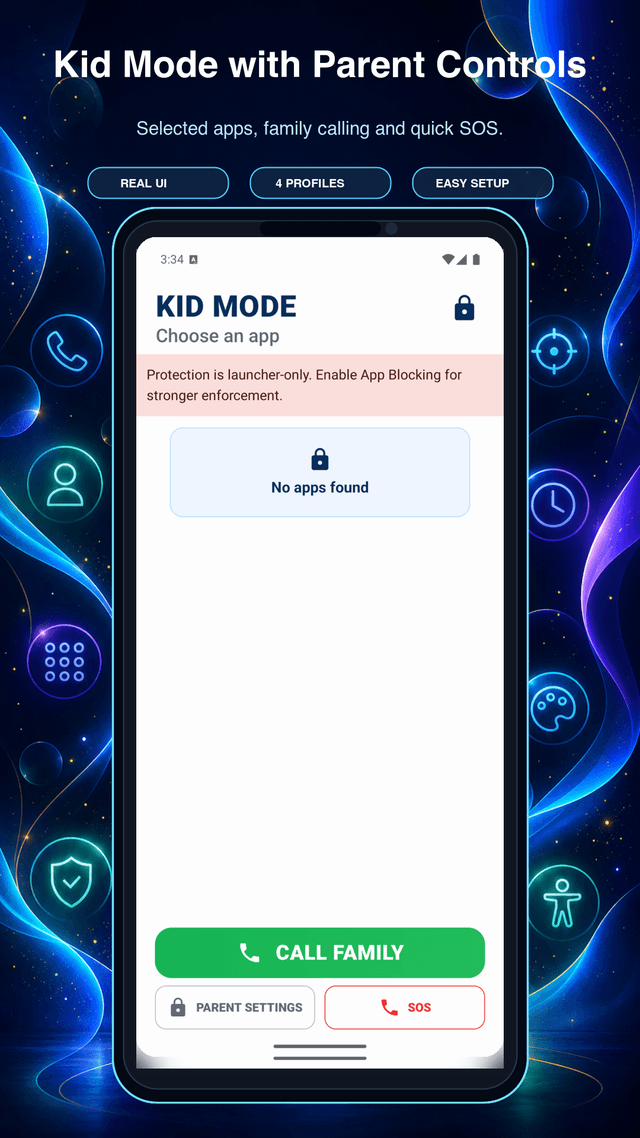 Kid Mode
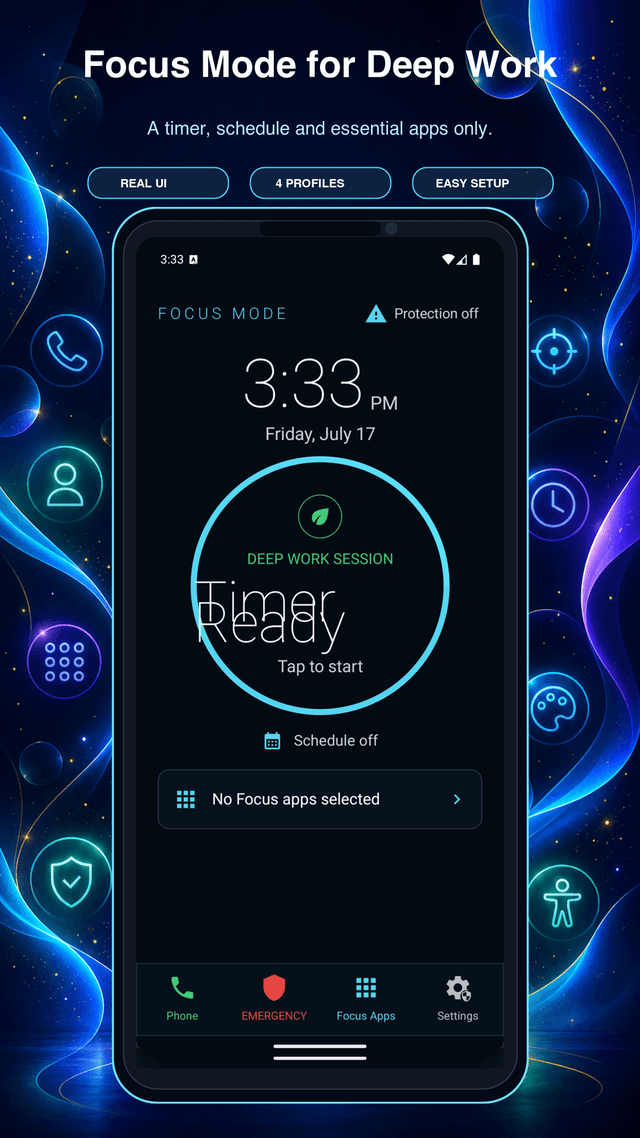 Focus Mode
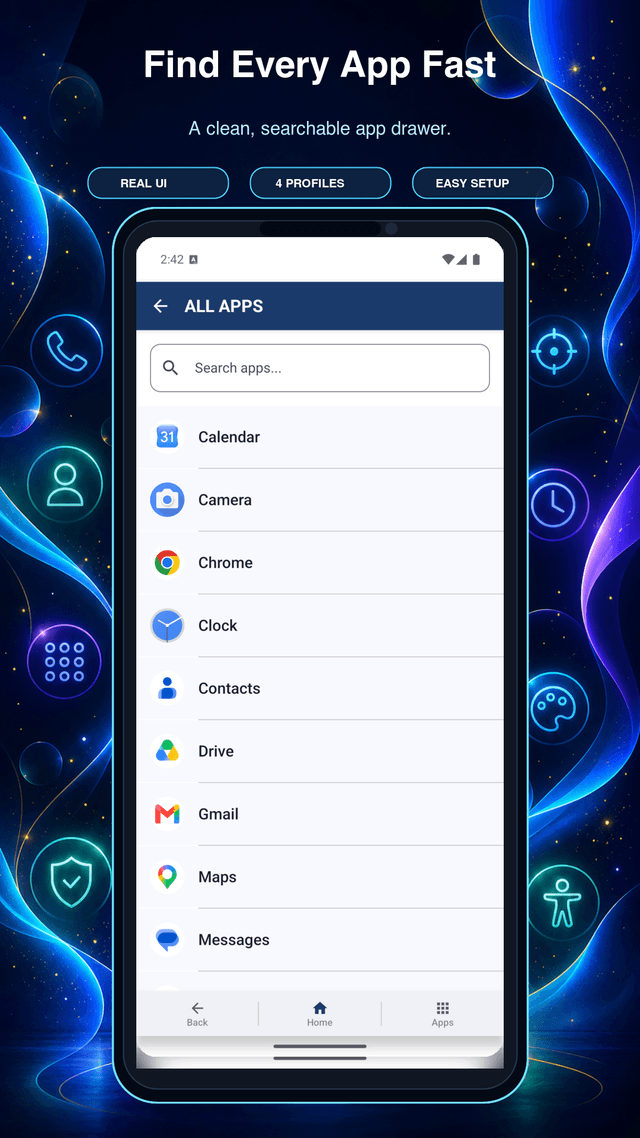 App Drawer
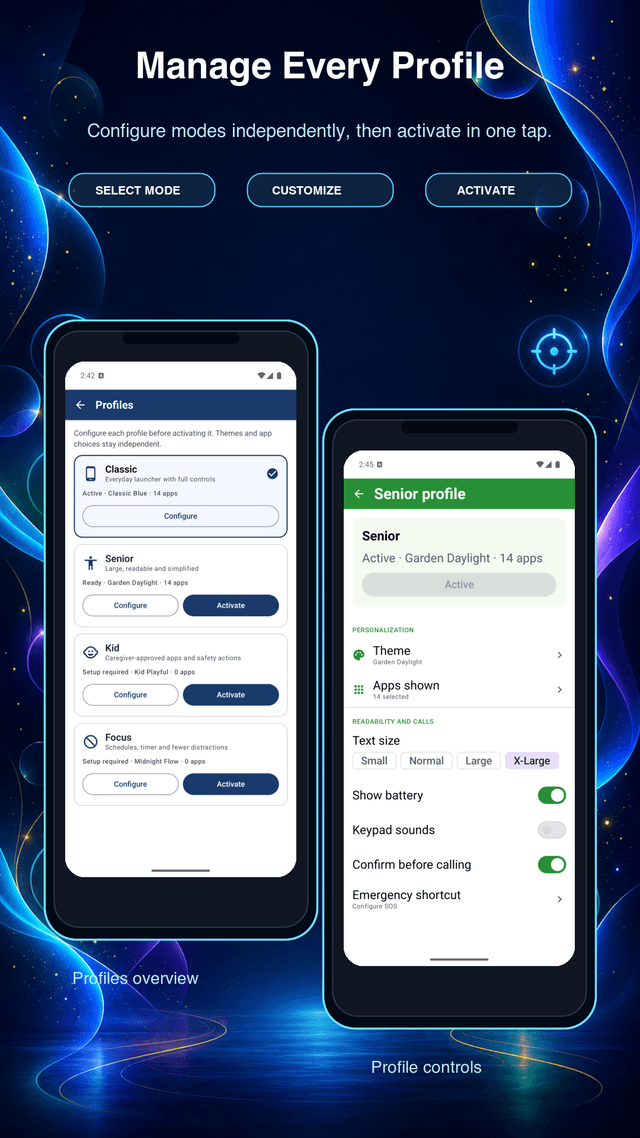 Manage Profiles
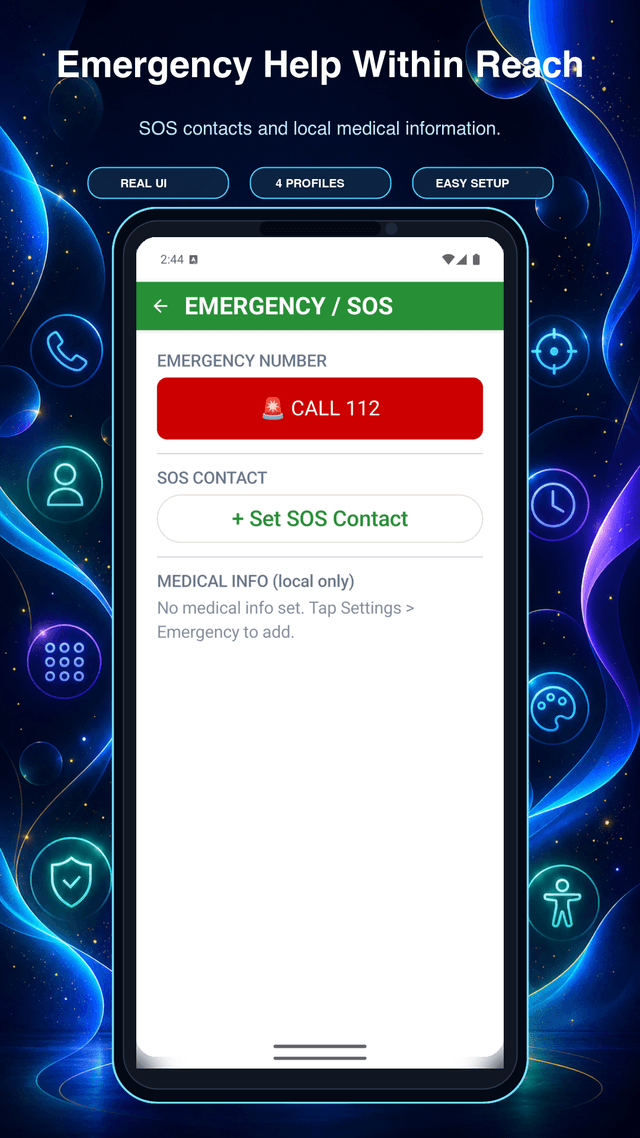 Emergency SOS
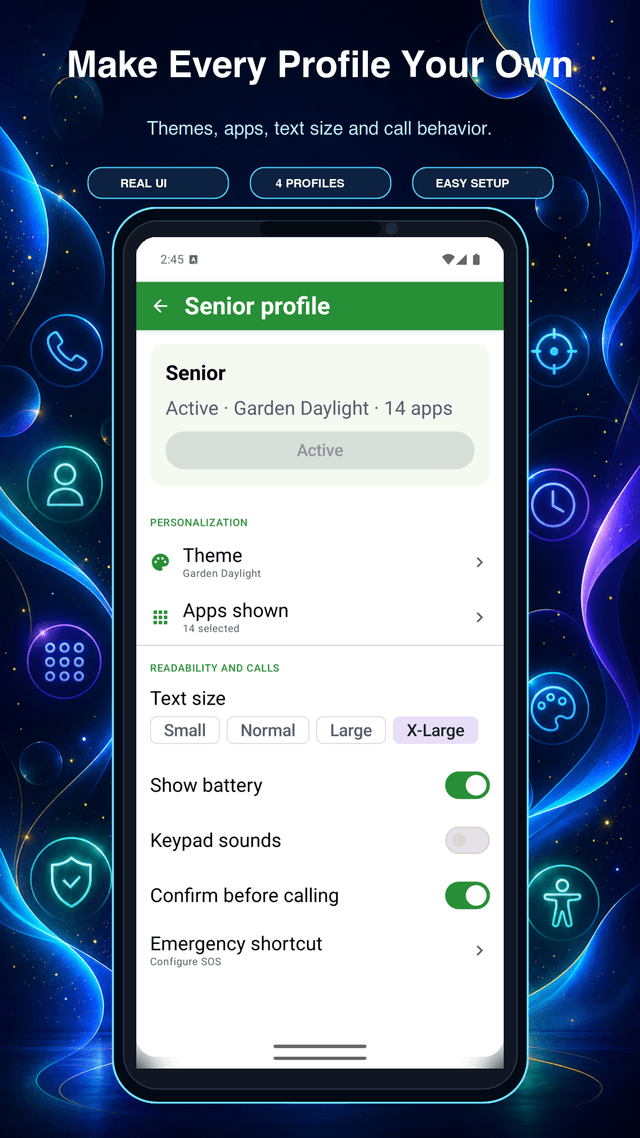 Customization
Everything you need, nothing you don't
Classic Launcher keeps the essentials front and center — no hidden menus, no confusing gestures, no bloat.
Speed Dial Favorites
Pin up to 9 contacts on your home screen for one-tap calling. Unlimited slots with Premium.
T9 Search
Type a few numbers on the classic keypad to instantly find contacts and apps — just like the phones of old.
Emergency SOS Screen
One-tap emergency calling with a configurable SOS contact, local emergency number, and on-device medical info. No ads, ever.
Simple App Drawer
All installed apps in one clean, alphabetically sorted list. Search, long-press to hide, or add to favorites.
Themes & Layouts
4 free themes including High Contrast for accessibility. Premium unlocks retro-inspired LCD Green, Black Keypad, and Monochrome.
PIN-Protected Settings
Adult caregivers can lock launcher configuration with a PIN to prevent unauthorized profile or settings changes.
8 Languages
Available in English, Bengali, Hindi, Spanish, Arabic (RTL), Indonesian, French, and Urdu — more post-launch.
Works on Low-End Devices
Optimized for phones with 2 GB RAM running Android 8 (API 26) and above. Fast startup, smooth performance.
Easy to Switch Back
Never feel trapped. The built-in guide walks you through changing your default launcher back at any time.
Up and running in three steps
No account required. No email. No sign-up. Just install and go.
Install the app
Download Classic Launcher for free from the Google Play Store. Works on Android 8 and newer.
Choose your mode
Pick Classic, Senior, Kid, or Focus during the quick onboarding. Change your mind at any time in Settings.
Set as your home screen
Follow the in-app guide to set Classic Launcher as your default. One tap and your phone is transformed.
🔒 Your privacy is non-negotiable.
Your contacts never leave your phone. Classic Launcher reads your contacts only to show them on your screen — they are never uploaded, shared, or sold. All launcher data stays on-device.
Frequently Asked Questions
Have more questions? Email our support team.
Classic Launcher is a free Android home screen replacement app that simplifies your phone's interface, inspired by classic feature phones. It gives you large buttons, quick access to calls, contacts, messages, and apps — without the clutter of the default Android launcher.
No. Classic Launcher is a launcher — it only changes your home screen. All existing apps, contacts, photos, and data remain exactly as they are. Switching to a new launcher is completely reversible and does not modify any app or file on your phone.
Go to Settings → Help → Switch Launcher inside the app, then tap "Open Default Apps Settings" and choose your original launcher from the list. The in-app guide walks you through every step.
The app requests READ_CONTACTS only to display contacts on your home screen speed dial and contacts list. Your contacts are never uploaded, shared, or stored outside your device. You can deny this permission and the launcher will still work.
Kid Mode is configured by an adult caregiver, who selects an allowed-app list and protects settings with a PIN. Advertising, UMP, Firebase Analytics, and Crashlytics stay disabled in Kid Mode. Optional Accessibility-assisted blocking is best-effort and Android Settings always remains available.
Focus Mode is a digital detox tool. You set a list of allowed apps, configure a schedule or countdown timer, and the launcher hides everything else. Usage time is tracked locally on-device — no data leaves your phone.
The SOS screen gives fast, one-tap access to emergency contacts. You can set one personal SOS contact and one emergency number (defaults to 112). Optional medical info can be stored locally. This screen never shows ads — that is a hard rule with no exceptions.
Premium is purchased through Google Play Billing inside the app. The Lifetime option is a one-time $4.99 payment — never charged again. Refunds are handled by Google Play's standard policy (within 48 hours of purchase). You can restore your purchase at any time by tapping "Restore Purchase" on the Premium screen.
Classic Launcher supports Android 8.0 (API 26) and above, up to Android 15 (API 35). It is optimized for low-end devices with as little as 2 GB of RAM.
Ads (banner and native only — no full-screen interruptions) appear only in the Themes screen and Settings screen for free users. They are never shown on the home screen, contacts, call screen, emergency screen, or during onboarding. Purchasing Premium removes all ads permanently.
All launcher data is stored locally on your device. Cloud backup and restore across devices is planned for a future update (V2.0). Until then, clearing app data or uninstalling will remove your launcher configuration.
Ready to simplify your phone?
Download Classic Launcher for free today. No account required — just install and go.
 Download on Google Play
Free · Android 8+ · QuantixLab